SmartlyQ
AI Presentations · From idea to deck in seconds
Stop building slides by hand. Turn a prompt into a finished deck in seconds.
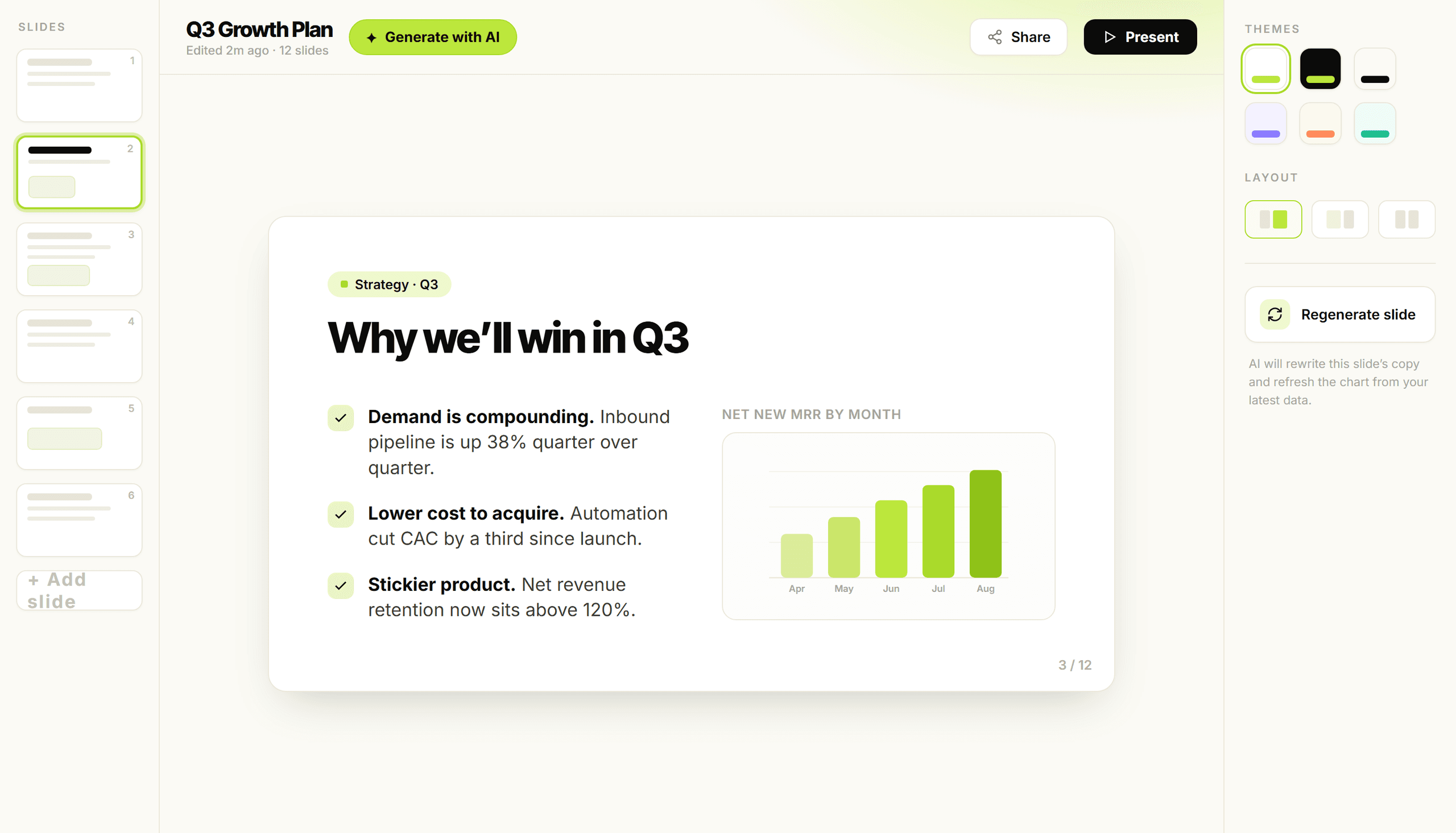
Describe what you want to present, pick the number of slides and the language, and SmartlyQ generates a polished, ready-to-edit deck - outline first, then every slide. Start from a template or a blank canvas.
Available on the Pro plan and above · 30-day money-back guarantee
One prompt, any kind of deck
Pitch decksSales reportsProduct launchesLessonsBrainstorm summariesTeam updates
Great ideas die in the slide editor
You know exactly what you want to say. Turning it into a clean, on-brand deck is where the hours disappear.
Decks take hours
A single presentation can eat an afternoon you do not have - over and over.
Staring at a blank slide
The hardest part is starting. An empty canvas stalls you before you write a word.
Formatting instead of thinking
You spend more time nudging boxes and fonts than shaping your message.
Inconsistent design
Slides drift off-brand - mismatched layouts, colors and spacing across the deck.
Show up with a sharp deck, every time
Go from idea to deck instantly
Type what you want to present and get a structured, designed deck back in seconds - not hours.
Start with a clear story
Outline-first generation lays out the flow, so every slide builds toward your point.
Fully editable, fully yours
Every slide is yours to tweak - rewrite, restyle and reorder before you present.
Everything you need to build a deck, in one place
Describe it, generate it, refine it - or begin from a beautifully designed template.
Investor pitch deckProduct launch planQ4 sales reportLesson on photosynthesisBrainstorm summary
Generate from a prompt
Describe what you want to present and get a full deck in seconds.
Outline-first generation
Review and shape the outline before SmartlyQ builds out the slides.
Choose your slide count
Set exactly how many slides you need before you generate.
Multiple languages
Generate your presentation in the language your audience speaks.
Web search for fresh facts
Optionally pull in current information so your deck stays accurate.
Designed templates
Start from beautifully designed templates that look polished out of the box.
Editable slides
Every slide is fully editable - rewrite, restyle and rearrange freely.
Start from blank
Prefer to build it yourself? Begin with a blank presentation any time.
Example prompts to spark ideas
Kick off with ready prompts like pitch decks, launch plans and lesson summaries.
From idea to presentation in 3 steps
01
Describe your deck
Say what you want to present, pick the slide count and language, and optionally enable web search.
02
AI generates outline + slides
SmartlyQ drafts a clear outline, then builds out a complete, designed deck.
03
Tweak and present
Edit any slide, restyle to taste and present a deck that looks unmistakably yours.
Building by hand vs generic AI text vs AI Presentations
Building slides by hand
- SpeedHours per deck
- Starting pointA blank slide
- DesignManual formatting
- StructureYou map it all out
- EditingYours, but slow
Generic AI text
- SpeedFast text, no deck
- Starting pointA wall of copy
- DesignNo real slides
- StructureLoose, unstructured
- EditingCopy-paste yourself
SmartlyQ AI Presentations
Best value- SpeedFull deck in seconds
- Starting pointA prompt or template
- DesignDesigned templates
- StructureOutline-first flow
- EditingEvery slide editable
Built to get you from blank to brilliant - fast
Polished decks, generated in seconds and ready for you to make them your own.
Seconds
to a full deck
Editable
every slide
Templates
ready to go
Loading testimonials...
AI Presentations, answered
What you need to know before you generate your first deck.
How does AI Presentations work?
Can I edit the slides after they are generated?
Do I have to start from a prompt?
Can I generate decks in other languages?
Which plan includes AI Presentations?