AI video editor for
TikTok, Reels and Shorts
Cut, caption and clip short-form video in the browser.
Upload a recording or start from a script. Get captions, hooks, b-roll suggestions and thumbnails, then export in the right format for each platform.
30-day money-back guarantee
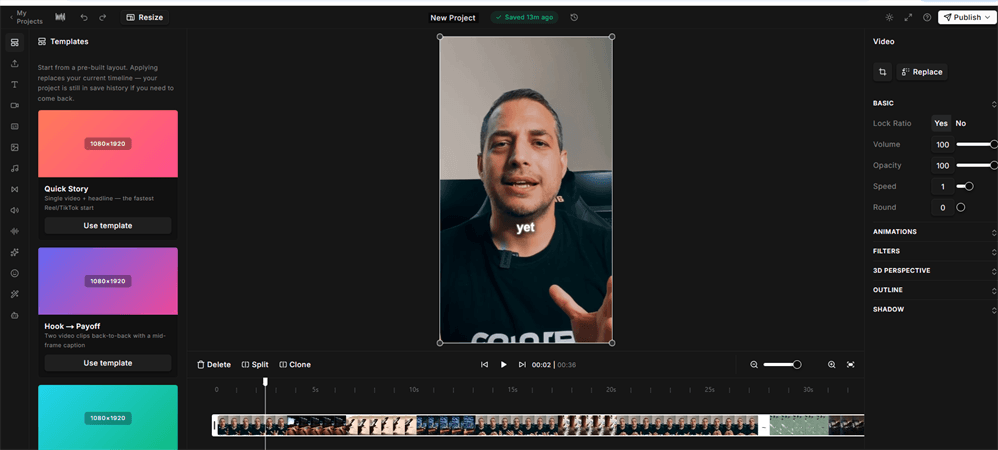
Short-form video takes longer than it should
What slows most teams down today
Hours of editing for a single 60-second clip
Captions typed by hand, or skipped entirely
The same video re-cut for each platform's aspect ratio
Long recordings that never get turned into short clips
The editing, not the idea, is usually the bottleneck.

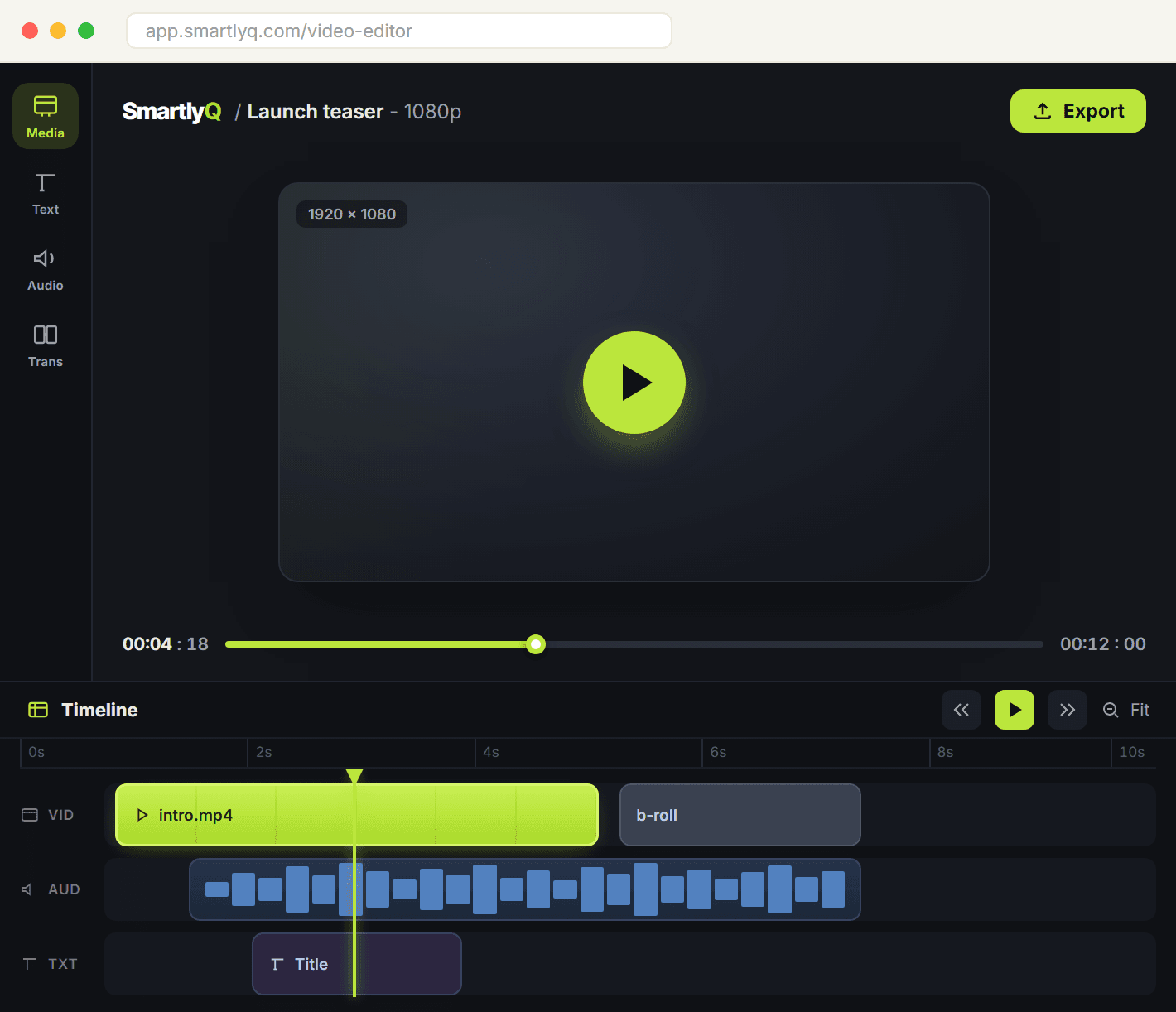
Meet the SmartlyQ AI video editor
A browser editor with AI helpers built in
Cut, caption and export short-form video in the browser. AI writes the hook, suggests b-roll, generates thumbnails and turns long recordings into clips.
It lives in your SmartlyQ workspace next to the scheduler and content calendar.
How it works
From upload to export in three steps
Upload or generate
Upload a recording or paste a link to a long video
Or start from a script and let the faceless generator build the visuals
Pick the aspect ratio for the platform you are posting to
Edit with AI help
Auto-generated captions you can restyle and correct
Hook lines, b-roll and emphasis suggestions from the transcript
Trim, split and arrange clips on a standard timeline
Export and publish
Render in the right format for TikTok, Reels and Shorts
Generate a thumbnail and a caption for the post
Schedule it from the SmartlyQ content calendar
Exports count against your plan's monthly allowance, which the editor shows as you work.
What is in the editor
Timeline editor
● Trim, split and reorder clips on a multi-track timeline
● Text, image and audio layers on top of your footage
● Runs in the browser, nothing to install
● Autosave so a closed tab does not lose the project
Magic Shorts clipping
● Paste a YouTube link or upload a long recording
● AI ranks the strongest moments and cuts them into clips
● Review the ranked clips and export the ones you want
● Vertical output ready for TikTok, Reels and Shorts
Faceless video generator
● Write a script, get a narrated video
● Each segment gets an AI image that is animated into motion
● Text-to-speech voiceover in a choice of voices
● Good for explainers, listicles and narrated stories
AI editing compared with doing it by hand or hiring out
Three ways to get a short video out the door.
Editing it yourself
- Time per videoHours
- CaptionsTyped by hand
- Platform formatsRe-cut per platform
- Long video to clipsManual scrubbing
- Learning curveWeeks with a desktop editor
- Where it livesA separate app
Hiring an editor
- Time per videoDays of turnaround
- CaptionsExtra cost
- Platform formatsExtra cost per version
- Long video to clipsExtra cost
- Learning curveNone, but revisions take time
- Where it livesEmail threads and file transfers
SmartlyQ AI video editor
Best value- Time per videoMinutes
- CaptionsGenerated, then edited inline
- Platform formatsOne project, several ratios
- Long video to clipsRanked clips from a link
- Learning curveBrowser editor, no install
- Where it livesYour SmartlyQ workspace
Frequently asked
questions
Frequently asked questions
Do I need video editing experience?
Can I make videos without filming anything?
Can I turn a long video into short clips?
How many videos can I export?
Does the AI guarantee views?
Which formats can I export?
Start editing in SmartlyQ
The video editor is included in the Business plan.
What you get:
Browser timeline editor with AI captions and hooks
Magic Shorts clipping from long videos
Faceless video generator with voiceover
Thumbnails and post captions
30-day money-back guarantee