Social media scheduler for
all your channels
Plan, schedule and publish from one shared calendar.
Connect Facebook, Instagram, TikTok, YouTube, LinkedIn, X and more. Write once, adjust per platform, and let the queue publish on time.
30-day money-back guarantee
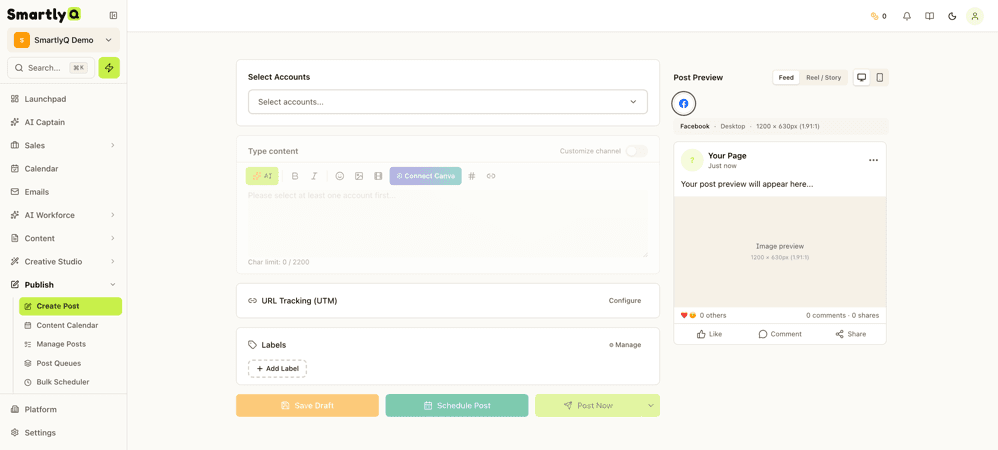
Posting by hand every day does not scale
What running social media manually looks like
Logging into each network to publish the same post several times
Gaps in the feed whenever a busy week gets in the way
Resizing and rewriting for each platform's format and limits
Results scattered across each network's own analytics
A shared calendar and one publishing queue fix most of this.

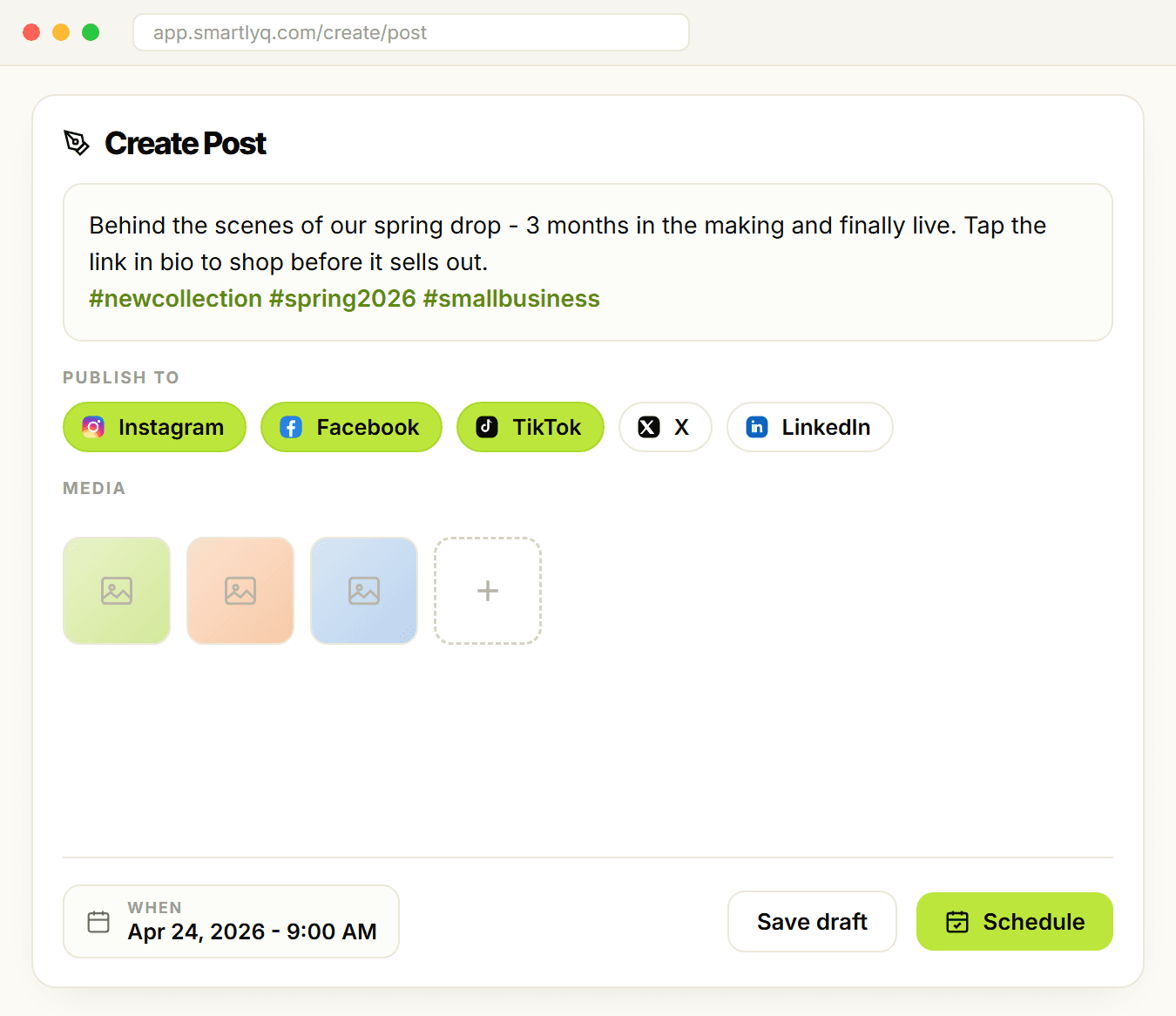
Meet the SmartlyQ social media scheduler
Plan, schedule and publish from one calendar
Connect your accounts, write once, adjust per platform, and schedule to a calendar the whole team can see. Posts publish on time whether or not you are online.
It sits next to the AI writer, image generator and video editor in the same workspace.
How it works
From connected account to published post in three steps
Connect your accounts
Facebook, Instagram, TikTok, YouTube, LinkedIn, X, Pinterest, Threads and more
Group accounts by brand or client
Reconnect from one place when a token expires
Create and schedule
Write one post and adjust the copy and media per platform
Generate captions, images or a video with the AI tools
Drop it on the calendar or pick a time
Publish and review
Posts go out at the scheduled time
Failed posts are flagged and can be retried
Per-platform analytics in one dashboard
Everything stays in one calendar, from the first draft to the published post.
What is included
Scheduling
● Calendar view of everything queued and published
● Per-platform copy and media on a single post
● Posting limits per platform shown before you publish
● Retry failed posts without rebuilding them
Content tools
● AI caption writer tuned to each platform
● Image generator in the same workspace
● Video editor and thumbnail generator for video posts
● Rewrite tool for repurposing existing copy
Analytics and inbox
● Per-platform analytics for reach, engagement and follower growth
● Comments and messages in the shared inbox
● Reply to, hide or delete comments from SmartlyQ
● Custom reports on the Pro plan and above
Manual posting compared with a scheduler
What changes when the queue lives in one place.
Manual posting
- Time spent publishingEvery day, per network
- ConsistencyDepends on the week
- Per-platform versionsRewritten each time
- Where analytics liveEach network's own dashboard
- Team accessShared passwords
- Other tools neededSeparate writer, image and video tools
Standalone scheduler
- Time spent publishingOne planning session
- ConsistencyGood
- Per-platform versionsSupported
- Where analytics liveScheduler only
- Team accessPer-seat
- Other tools neededSeparate writer, image and video tools
SmartlyQ scheduler
Best value- Time spent publishingOne planning session
- ConsistencyQueue publishes on time
- Per-platform versionsOne post, per-platform edits
- Where analytics liveOne dashboard, all platforms
- Team accessTeam seats on Business
- Other tools neededWriter, images, video and CRM included
Frequently asked
questions
Frequently asked questions
Which platforms does SmartlyQ support?
Can I schedule different content for each platform?
How do I pick the best time to post?
Will my posts look automated?
What happens if I need to make last-minute changes?
How many accounts can I connect?
Move your posting to one calendar
Included in the Pro and Business plans.
What you get:
Scheduling for Facebook, Instagram, TikTok, YouTube, LinkedIn, X and more
Per-platform copy and media on one post
Analytics and comment inbox in one dashboard
AI caption writer, image generator and video editor alongside
30-day money-back guarantee